Sample. Ridgeway Tree Care is a made-up business, and nothing here is sent. These are the real form, emails and pages, shown with a made-up customer.
Ridgeway Tree Care
Estimate scheduling
Customers pick times for a free estimate right on your quote form. You confirm one with a tap, and the emails go out for you.
-
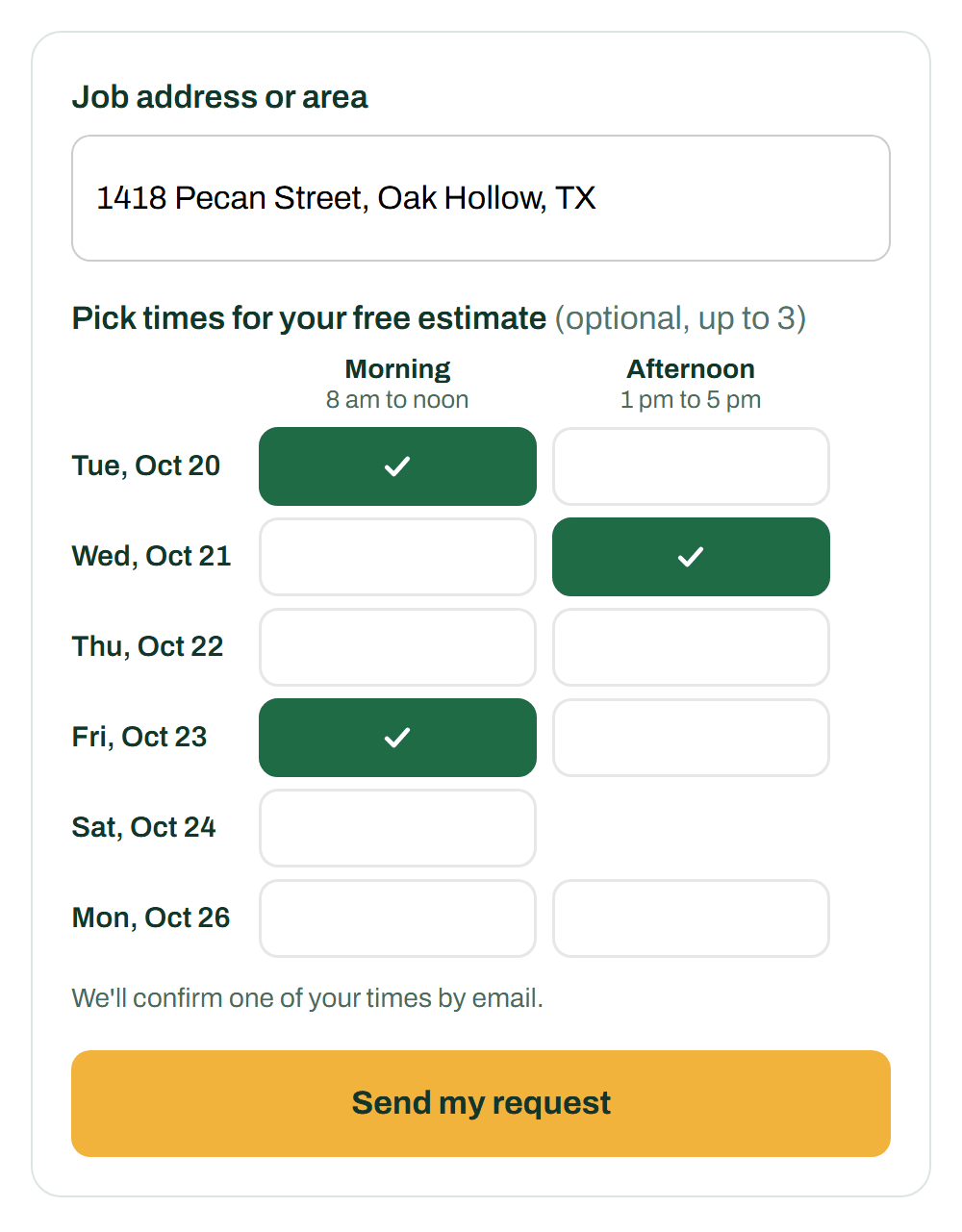
1Your customer picks up to 3 times on your quote form. Only the days and hours you take estimates show up.
-
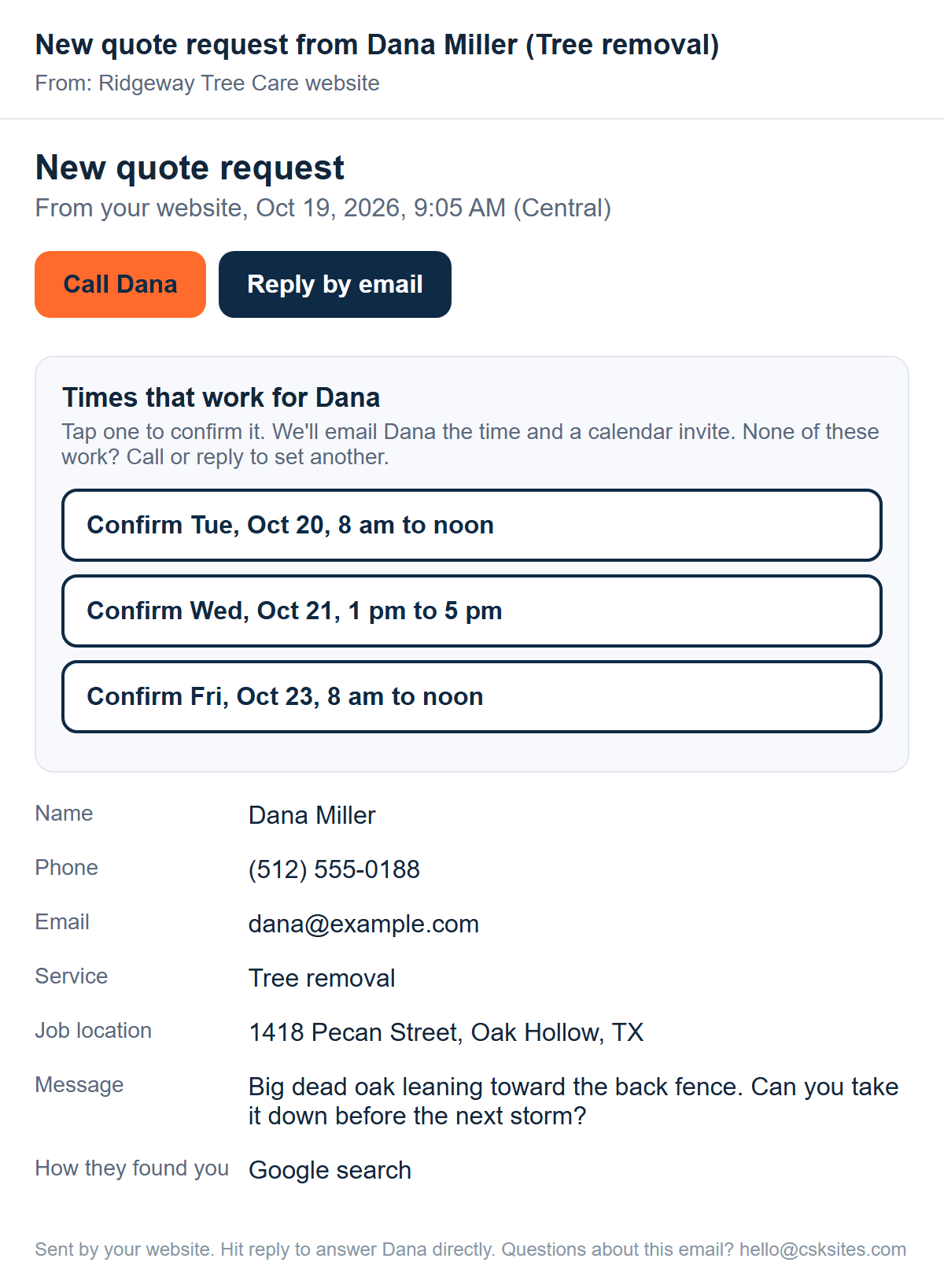
2You get the request by email, with a Confirm button for each time they picked.
-
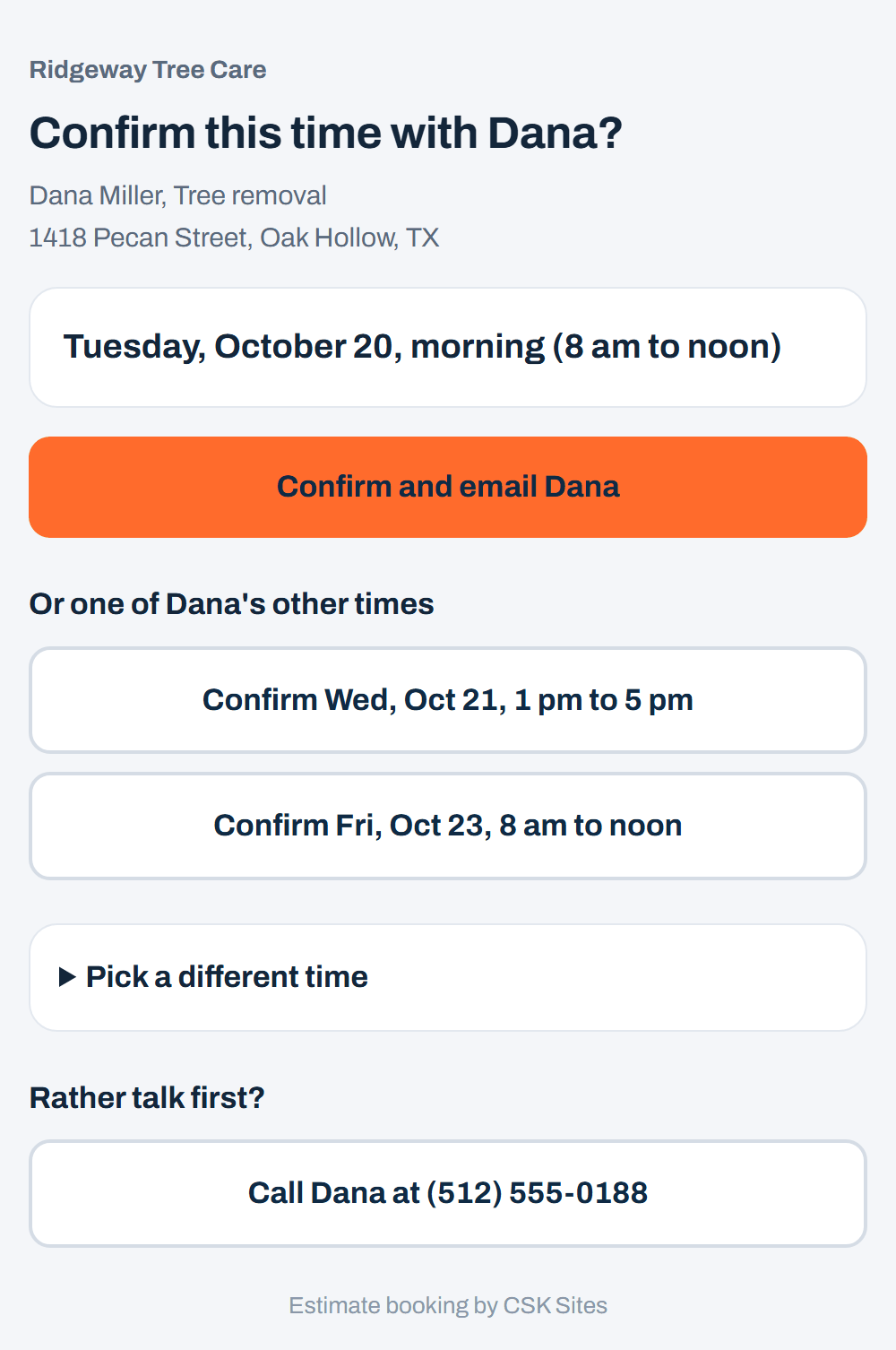
3Tap the time that works. A page opens so you can confirm it, or pick a different time.
-
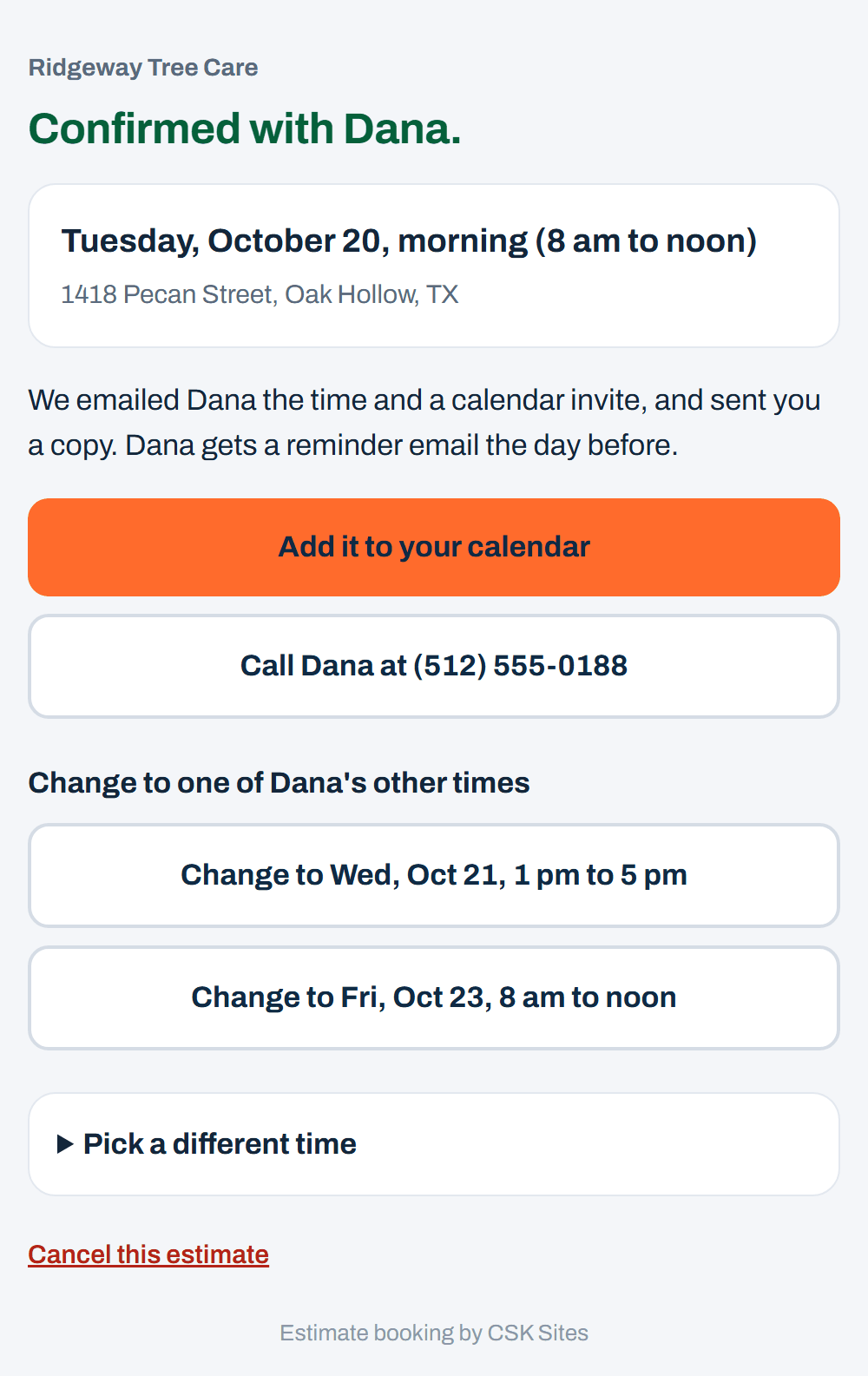
4It's booked. Add it to your calendar with one tap. You can change or cancel it from here later.
-
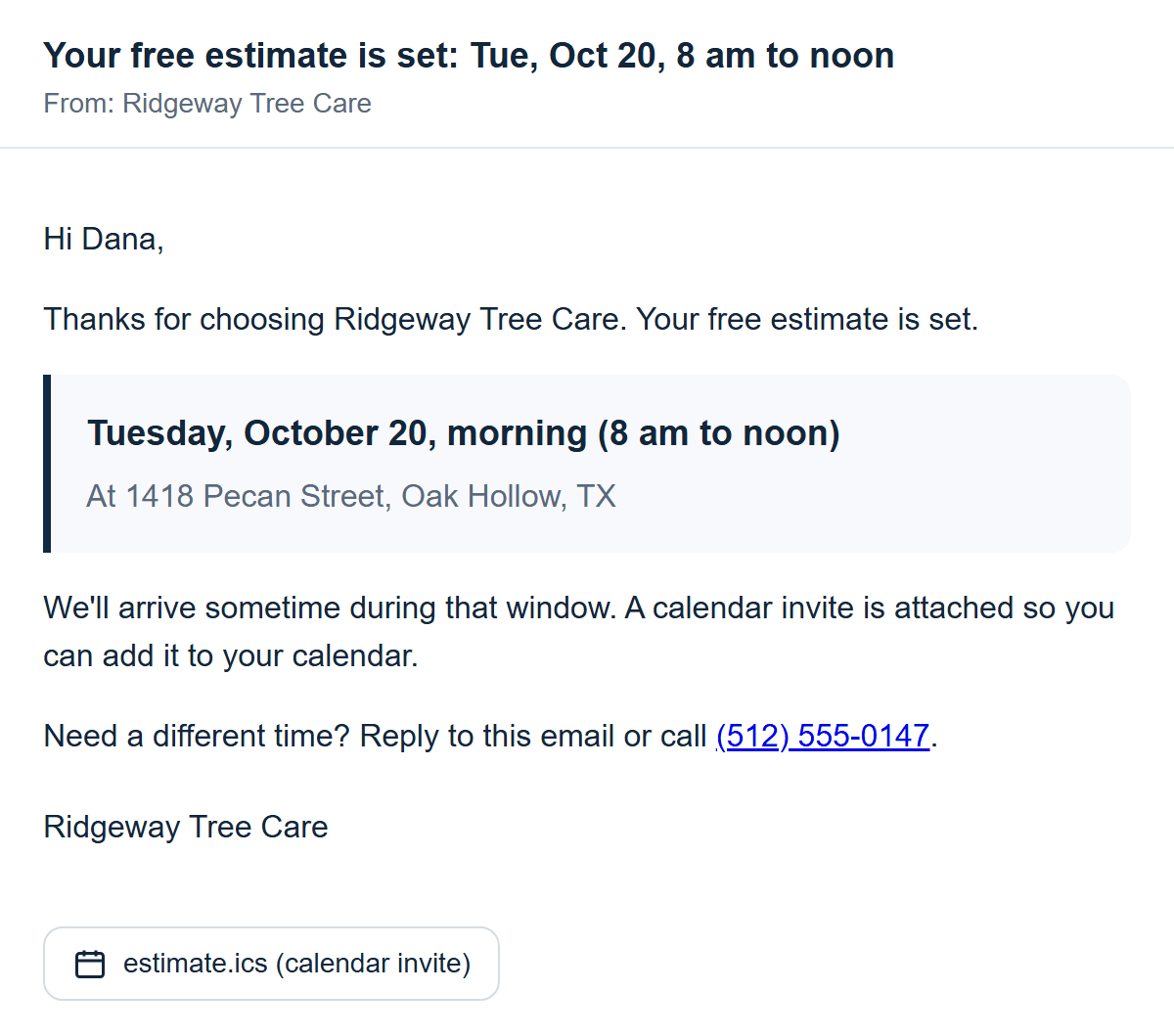
5Your customer gets the time by email, with a calendar invite attached.
-
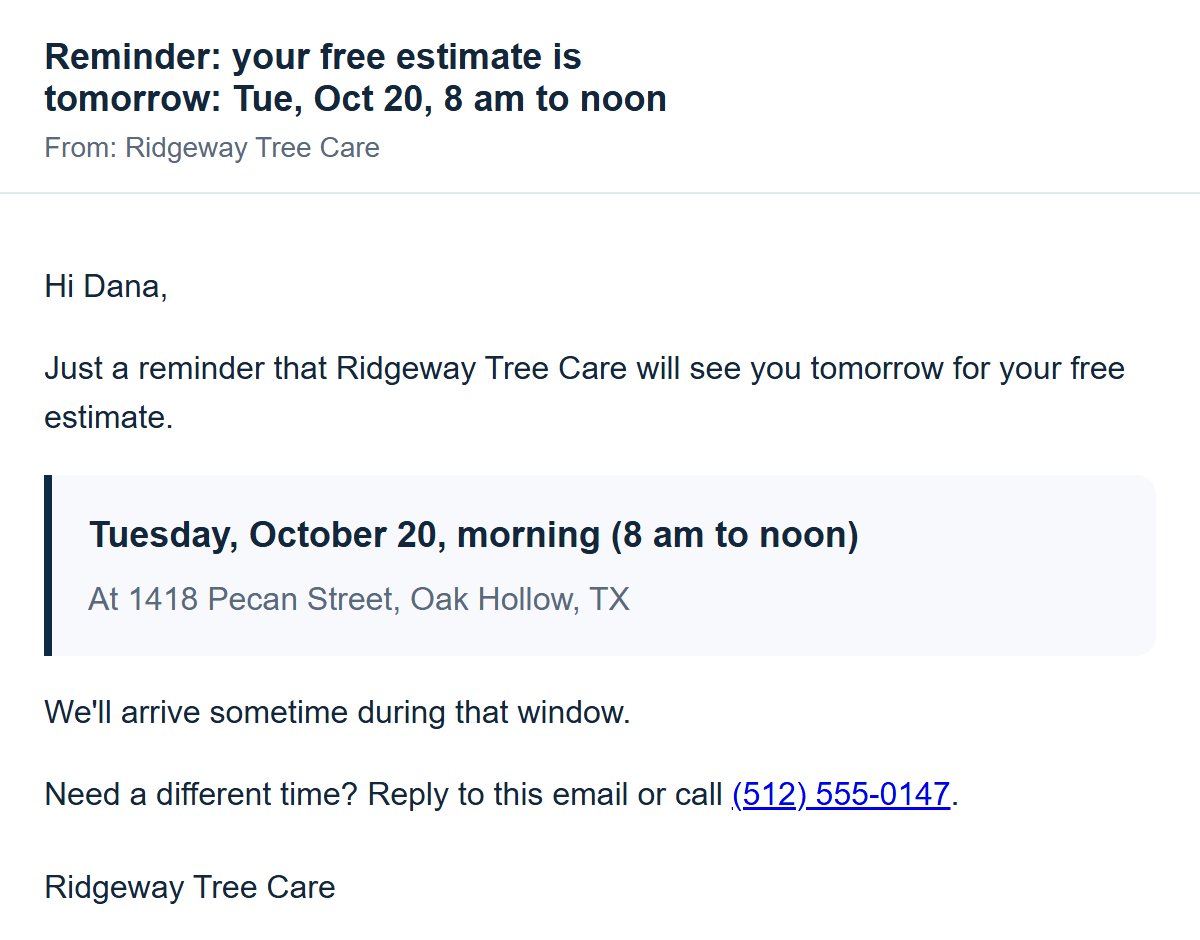
6The day before, your customer gets a reminder with the time and address.
-
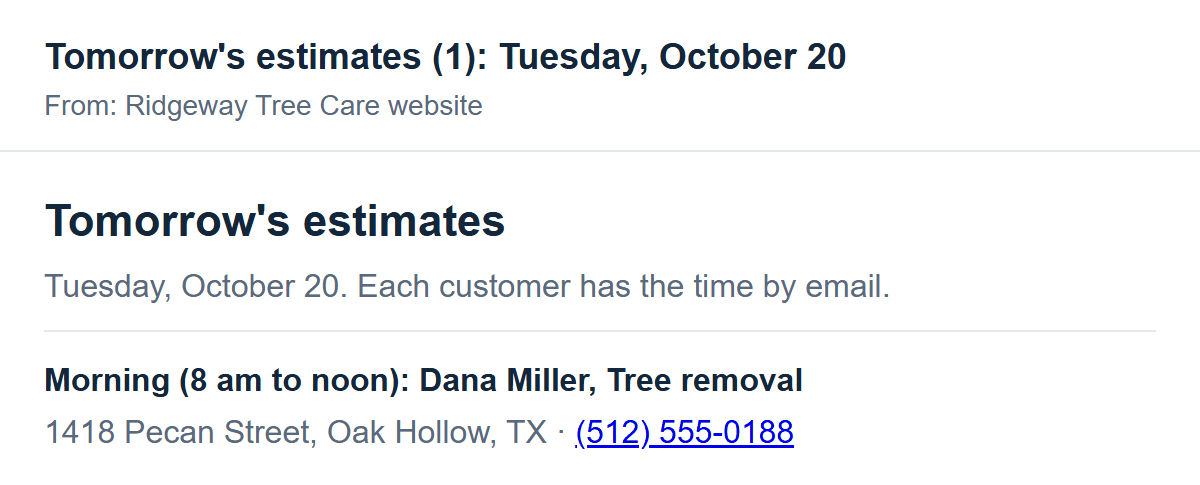
7You get a list of tomorrow's estimates, with each address and phone number.
- Email only. We never send texts.
- You tell us the days and hours you do estimates, and any days off. We set it up.
- Picking times is optional. Already use a booking tool? We link to it instead.